Customers build their own order and send it straight to the kitchen.
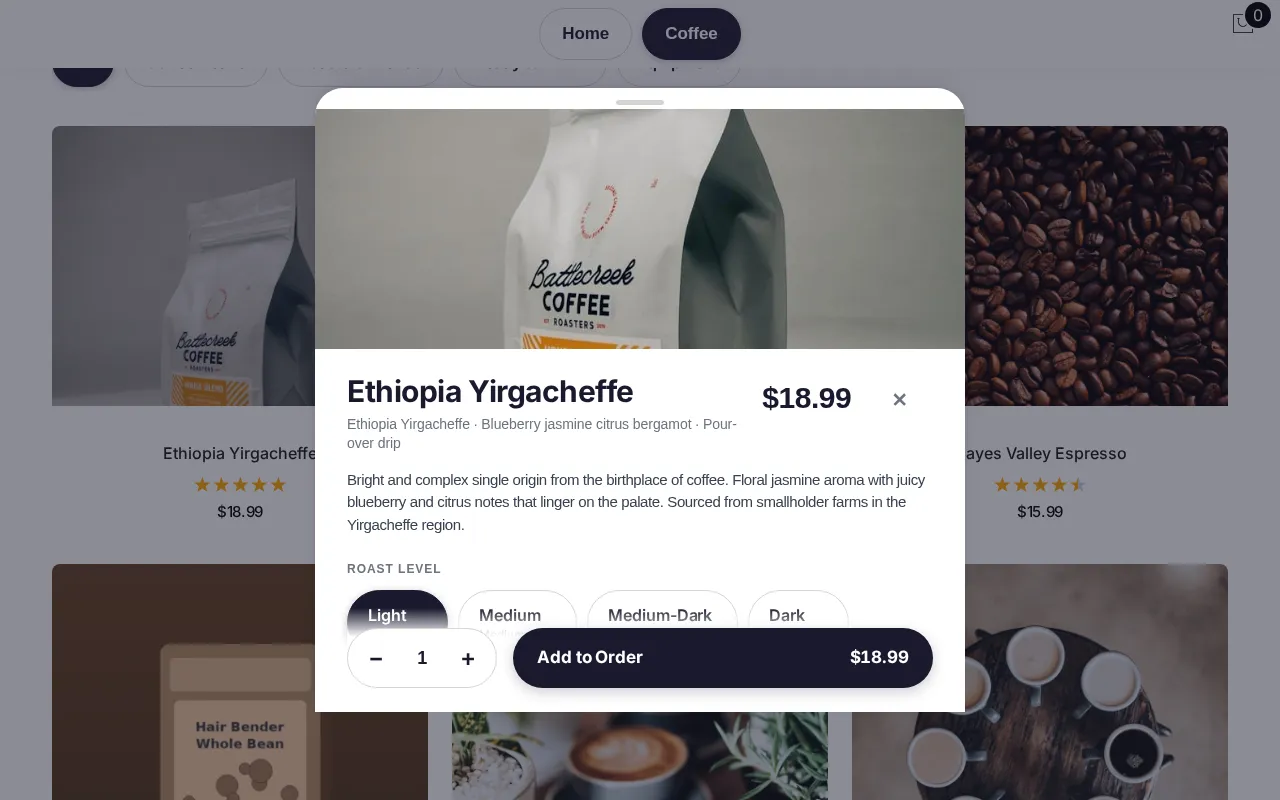
Customers tap through a menu — no training, no standing in line just to say what they want.
Option sheets show the exact price change for every choice, and the cart is the checkout — no separate screen to confirm.
The order lands on the kitchen screen the instant it's sent, with tax already worked out for your store's address.
Edit from the cart, not from scratch
A customer who wants to change the grind on a bag of coffee edits that line directly from the cart instead of deleting the item and starting over.
Guest by default
No account, no app to download — just a name for the order and a toggle between English and Spanish.
Nobody waits on a frozen screen
An idle kiosk resets itself with a "Still there?" prompt, so the next customer isn't stuck finishing a stranger's order.
Questions
How is this different?+
It isn't a tablet running a generic ordering app. The kiosk reads the same catalog as your register and kitchen screen, so a sold-out item or a price change shows up immediately, not on a delay.
What do I control?+
Every product, option and price, from the back office — the kiosk only displays what's there. You also choose where it sits and how many you run.
What does it need?+
A tablet or iPad at the counter, and Wi-Fi. It doesn't take payment itself — orders are guest checkout, pay at the counter, so there's no card reader on the kiosk.